
TikTok Shop sellers in 2026 should prepare square, high-resolution product photos that show the real item clearly, match every listed variation, and avoid promotional overlays.
In the United States, official rules set a minimum of 600 × 600 pixels, allow up to nine square images, accept JPG, JPEG, and PNG files, and cap each file at 10 MB. U.K. guidance raises the minimum to 800 × 800 pixels and also allows up to nine square images.
The main photo should show the product from the front on a clean white background, without added text, borders, watermarks, or marketing stickers. Regional rules differ, so the upload panel in the seller’s own TikTok Shop Seller Center remains the final checkpoint.
TikTok Shop Image Requirements at a Glance
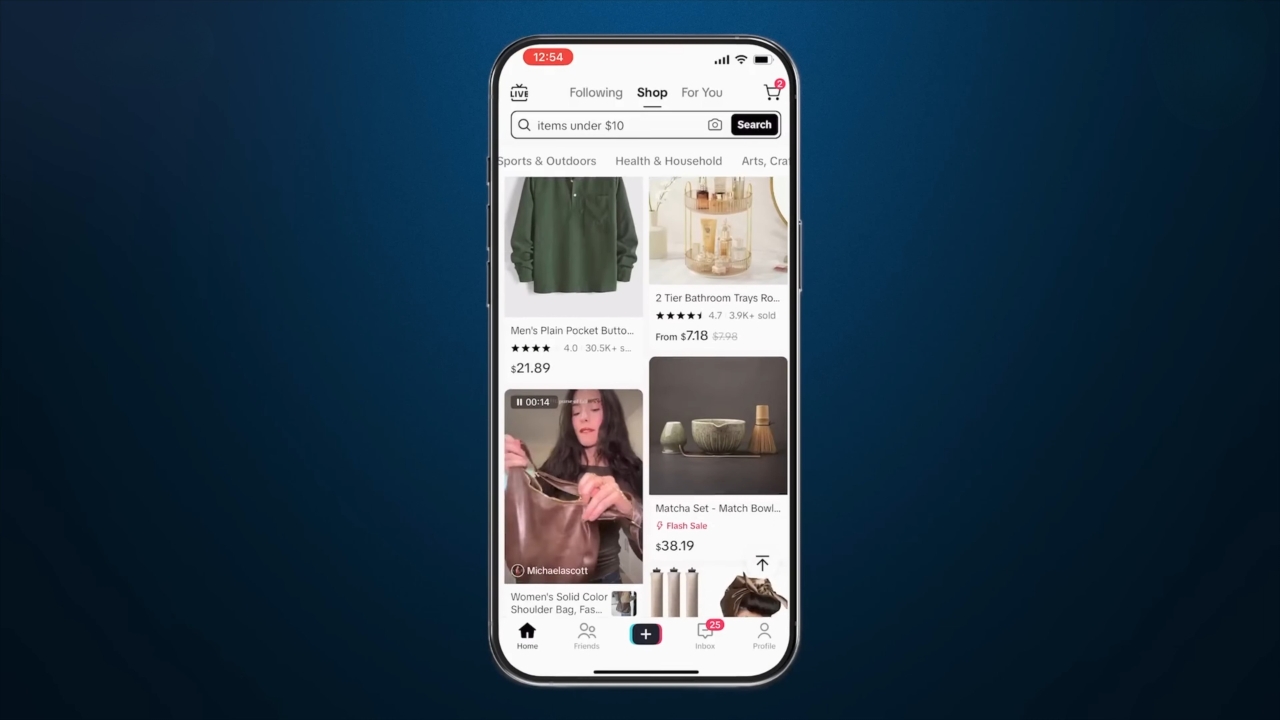
TikTok Shop does not publish a universal image specification for every country. Sellers should follow the policy tied to the market where the shop is registered.
| Requirement | United States | United Kingdom |
| Minimum resolution | 600 × 600 px | 800 × 800 px |
| Shape | Square | Square |
| Maximum images | 9 | 9 |
| Recommended count | 5 or more | 5 or more |
| Main image | Front view, pure white background | Single product or set, white background |
| File types | JPG, JPEG, PNG | JPG, JPEG, PNG in official training |
| Maximum file size | 10 MB | Check Seller Center |
| Colour | Required | Required |
U.S. figures come from TikTok Shop’s June 2026 product listing policy. U.K. figures come from local seller guidance and listing best practices.
Sellers in other markets should check local fields before preparing an entire catalogue. Category-level forms can also add requirements.
What Must the Main Product Image Show?
The main image should present the exact physical product a buyer will receive, viewed from the front and shown without distracting decoration.
For U.S. listings, TikTok Shop requires a pure white background and an objective representation of the item. The image should include only the goods included in the order. Placeholders and digital renderings are not allowed. Added logos, text, borders, watermarks, and graphics cannot cover the product or decorate the background.
Branding printed on the item or original packaging may remain visible because it forms part of the real product.
According to U.K. listing guidance, the first image should show one product, except where the listing is for a genuine set. Text, icons, colour blocks, borders, watermarks, and unrelated shapes should be removed.
A strong main photo keeps the whole item inside the frame, shows its real colour, remains recognisable at thumbnail size, and avoids props that imply extra package contents.
A candle listing, for example, should not display three decorative candles when the buyer receives one. A phone case listing should avoid showing a charger, stand, and cable in a way that suggests every object is included.
Is One Image Enough for TikTok Shop?
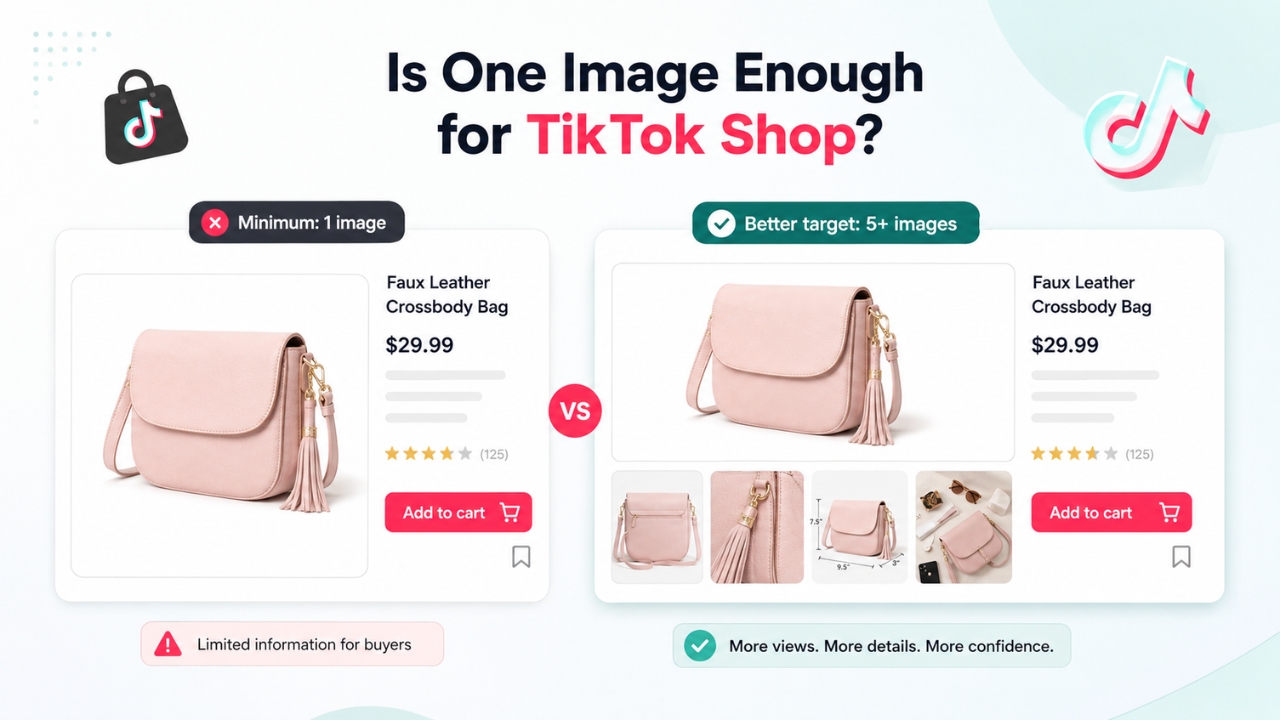
One image can satisfy the basic U.S. upload requirement, but five or more images are a better target.
TikTok Shop’s U.S. upload guide says at least one image is required, with a maximum of nine. A June 2026 quality guide says five or more high-resolution images are needed for the platform’s “Good” listing tier. U.K. guidance also recommends at least five images and warns against duplicate views.
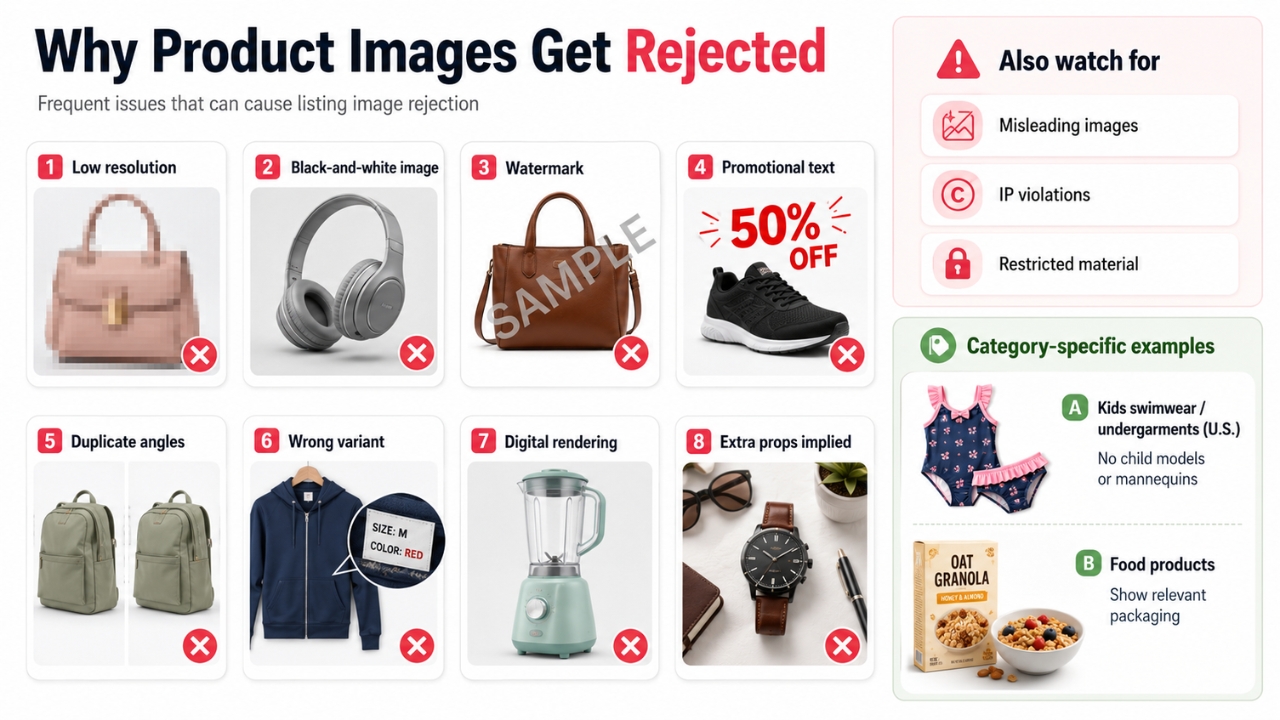
Repeating nearly identical shots wastes limited image slots and can conflict with guidance against duplicate angles. The safest rule is to keep the main image free of added text and use description fields or approved size-chart tools for detailed information. TikTok Shop’s strict U.S. listing policy prohibits added text, graphics, borders, and watermarks across product images. A separate product-page guide encourages measurements, material information, and size guidance through product attributes, description images, or category-specific tools. Where instructions overlap, the stricter rule should guide the main gallery, while Seller Center’s size-chart and description modules can carry detailed graphics. Every number should match the title, attributes, variations, and written description. Every variation image should match the exact SKU selected by the buyer. A red handbag should not display a burgundy thumbnail. A 12-pack should not reuse the image for a single unit. U.K. Seller Center guidance asks sellers to upload a unique image for the first variation and use different images for different sales attributes. In the U.S., bulk listing tools can support up to nine images for each product variant. TikTok Shop treats each variation as an individual SKU, and variation listing rules warn that inaccurate or duplicate options can trigger violations. U.S. listing rules prohibit placeholders and digital renderings, while TikTok Shop’s June 2026 AI policy bars synthetic edits that change a product’s size, colour, shape, features, or performance. The AI policy allows responsible AI use in promotional content when the result is accurate and properly disclosed, but generated imagery should not replace evidence of what a physical item looks like. Basic cropping, exposure correction, dust removal, and gentle colour balancing carry lower risk when the final photo still matches the item. Avoid invented accessories, fake textures, unrealistic results, or synthetic model images that alter garment fit. A consistent process reduces rejected listings and mismatched pages. Export a clean 1200 × 1200 px working file. The size sits above both published U.S. and U.K. minimums and leaves room for cropping. Keep the original high-resolution photograph in a separate folder. Future marketplace changes or catalogue integrations may require another export. Photograph the front view against white, centre the item, preserve natural proportions, and leave a small margin around the edges. Avoid cropping handles, cables, lids, shoe soles, packaging edges, or other parts that help buyers identify the complete product. Use each slot to answer a buyer question. Show the back, scale, texture, included parts, fit, use case, packaging, or important labels. A skincare listing may need packaging and ingredient-label photographs. A backpack listing benefits from interior compartments, straps, zippers, and an image showing scale. Use file names such as product-red-front.jpg, product-red-side.jpg, and product-blue-front.jpg. Clear names reduce mix-ups during bulk uploads, catalogue updates, and work shared across photography or ecommerce teams. For U.S. shops, use JPG, JPEG, or PNG and keep every file under 10 MB. Compress oversized files carefully and inspect the exported version at full size. Product edges, labels, fabric textures, and small controls should remain clear. Shrink the main image on screen. The product should remain recognisable without zooming. Fine details belong in later gallery positions. Verify colour, quantity, dimensions, accessories, brand, and package contents. Image, title, variation, and description should agree. A mismatch between a two-piece set shown in the gallery and a single item named in the title can cause customer complaints even when the upload passes automated review. Frequent problems include low resolution, black-and-white imagery, watermarks, promotional text, duplicate angles, wrong variants, digital renderings, and props that imply extra items. TikTok Shop also prohibits misleading images, intellectual property violations, and restricted material. Category-specific rules may apply to food, children’s clothing, health products, restricted goods, and branded merchandise. Children’s swimwear and undergarments have a strict U.S. rule: the item must be displayed flat and cannot use child models or mannequins. Food products should appear with the relevant packaging. TikTok Shop can reuse product-page images in paid shopping placements. Product Shopping Ads draw images and product information directly from the Product Details Page and may appear in the TikTok feed, Shop Tab, and search. A weak gallery can affect organic discovery and paid campaign presentation. Updated packaging, new colours, altered bundle quantities, or supplier changes should trigger an image review before stock goes live. Before pressing submit, confirm that every image is square, sharp, in colour, correctly sized for the selling market, and tied to the right product or SKU. Use a white front-facing main image, remove promotional overlays, prepare at least five distinct photos, and verify what the buyer will receive. For 2026, regional verification matters most. U.S. and U.K. requirements already differ on minimum resolution, and other TikTok Shop markets may use different limits. Check the local Seller Center upload field and policy page whenever a new catalogue, category, or integration is launched.
Can Product Images Include Text or Size Charts?
How Should Sellers Handle Variations?
Are AI-Generated Product Photos Allowed?
Real product photography remains the safest choice for listing images.A Practical Pre-Upload Workflow
1. Create a Larger Square Master
2. Build the Main Image First
3. Prepare Five to Nine Distinct Views
4. Match Every SKU
5. Check File Format and Size
6. Review the Thumbnail
7. Compare Images With Listing Copy
Common Reasons Product Photos Fail Review
Why Product Photos Matter Beyond the Listing Page
Final Checklist for TikTok Shop Sellers