
Google Merchant Center product images in 2026 must show the exact item being sold, use a crawlable URL, avoid promotional overlays, and meet Google’s technical quality rules.
Until January 31, 2027, the enforceable minimum remains 100 × 100 pixels for non-clothing products and 250 × 250 pixels for clothing.
Google is already warning merchants about files below 500 × 500 pixels, and a universal 500 × 500 minimum takes effect on January 31, 2027.
For a safer catalogue, use square images around 1500 × 1500 pixels, keep files below 16 MB and 64 megapixels, match every variant to its own photo, and preserve required metadata on AI-generated imagery. A photo can affect approval even when price and product data are correct.
Google Merchant Center Image Rules at a Glance

| Area | 2026 Working Rule | Practical Standard |
| Main image | Required for every product | Use a clean, accurate hero photo |
| Minimum dimensions | 100 × 100 for non-clothing and 250 × 250 for clothing until January 31, 2027 | Prepare at least 500 × 500 now |
| Recommended resolution | Google recommends 1500 × 1500 pixels or above | Export a sharp original |
| Maximum size | 64 megapixels and 16 MB | Compress without visible artefacts |
| Product coverage | Recommended 75% to 90% of the frame | Leave space for automated cropping |
| Additional images | Up to 10 | Add angles, details, packaging, or in-use views |
| Promotional overlays | Prohibited | Use feed fields for prices and offers |
| AI-generated images | IPTC source metadata required | Preserve metadata after editing |
The working figures reflect Google’s current image documentation. Requirements can differ from recommendations: a file may remain eligible during the transition while still receiving a warning or delivering a weaker presentation.
What Image Size Is Required in 2026?
View this post on Instagram
Google is operating a transition period. Images may continue to qualify under the older minimums until January 31, 2027: 100 × 100 pixels for non-clothing products and 250 × 250 pixels for clothing. YouTube Shopping images need at least 500 × 500 pixels to serve on television screens.
The future rule matters now. Every image submitted through image_link or additional_image_link will need at least 500 × 500 pixels across product categories and marketing methods from January 31, 2027.
Google’s April 2026 specification update says warnings began on April 14, while a later troubleshooting page says merchants will see warnings starting in July 2026. The enforcement date is consistent across both pages, according to Google’s 2026 product-data update.
Retailers should treat 500 × 500 pixels as the floor for new production. Google recommends images around 1500 × 1500 pixels or larger for stronger rendering across listing formats. Files cannot exceed 64 megapixels or 16 MB.
Google also regards images above 1024 pixels as high resolution, so a 1500-pixel master gives the system more usable detail.
The Main Image Must Show the Exact Product
The primary photo must represent the advertised item, rather than a placeholder, store logo, generic category graphic, or unrelated lifestyle scene. Google can disapprove a product when the image does not appear relevant to the offer.
Limited exceptions apply to categories such as computer software, hardware, vehicle parts, and certain paint products.
Variant matching deserves close attention. A blue sofa listing should show the blue sofa, while the green variant needs its own image. The same logic applies to patterns, finishes, pack sizes, and customisation.
Reusing one parent photo across visibly different child variants can create a mismatch between the feed, image, and landing page.
Bundles need a main image showing every included product when the is_bundle attribute identifies the offer as a bundle. For multipacks, Google recommends a single unit in the main image, with the full pack supplied as an additional photo. Packaging photography can work when the box is visibly three-dimensional and clearly communicates the item.
Detailed dimensions, format limits, variant rules, and crawler requirements are covered in Google’s primary image requirements.
Text, Logos, Watermarks, and Borders Can Trigger Disapproval
Google prohibits promotional content that covers or distracts from the product. Problem elements include sale prices, calls to action, shipping claims, warranty messages, barcodes, retailer logos, watermarks, and promotional adjectives.
A brand mark printed on the physical product is allowed because it belongs to the item. A separately added corner logo is treated as an overlay and may lead to an image policy issue.
Borders are also prohibited. Keep branding, discount language, and service information in the relevant product-data fields or promotion tools rather than adding such information directly to the photo.
Google’s automatic image improvements can remove detected text, logos, watermarks, or overlays. The feature is off by default and can be enabled under Products and store, followed by Automations.
When Google successfully repairs an image, Merchant Center may replace the submitted version and approve the offer. Review the result carefully because automated removal can alter packaging details, lettering, or fine product edges.
Background, Framing, and Image Quality Matter
A solid white or transparent background is generally the safest main-image choice. Google also accepts staged or lifestyle imagery when the product remains clear, although dedicated scenes fit better in lifestyle_image_link or among additional photos.
Light products on transparent backgrounds require care because some placements may render transparency against black. A white item with pale edges can become difficult to distinguish when the surrounding background changes.
Google recommends that the product occupy roughly 75% to 90% of the image. Too much empty space reduces visual impact, while an edge-to-edge crop risks losing parts when Google applies automatic cropping. Keep the full item visible and leave controlled space around its outline.
Do not enlarge a small thumbnail merely to meet a pixel threshold. Upscaling changes dimensions without restoring real detail. Start from the highest-quality original, correct exposure and colour carefully, then export at an appropriate resolution.
For apparel, Google recommends showing clothing on a person where fit matters. Shoes, handbags, and accessories should generally appear alone in the main image, with model shots supplied as supporting views.
Image URLs Must Work for Google’s Crawlers
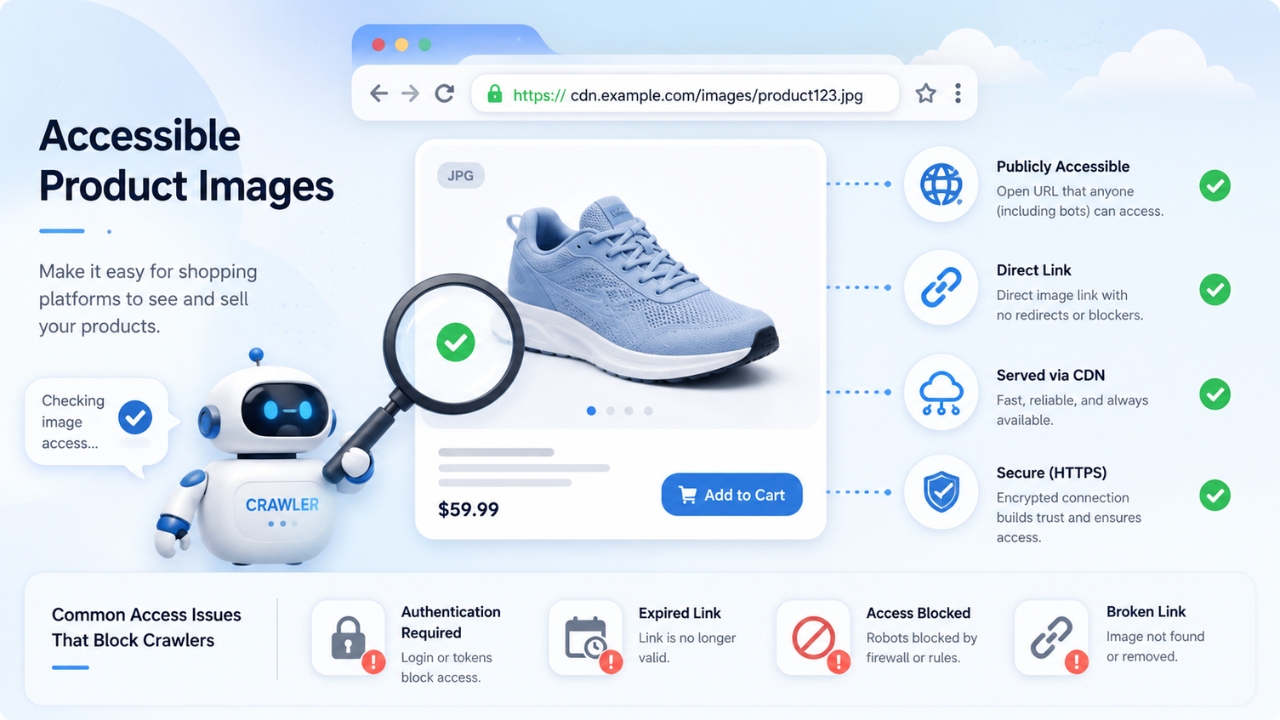
A strong photo can still fail when Google cannot fetch it. The image_link value must be a valid HTTP or HTTPS URL, use ASCII characters, comply with RFC 3986, and point to a supported format. Spaces and reserved symbols need URL encoding, and the file extension should match the actual file type.
Googlebot and Googlebot-Image need permission to crawl the asset. Blocked content delivery network paths, login requirements, expiring signed URLs, anti-bot rules, or hotlink restrictions can produce invalid-image errors.
Stable public URLs are safer because Merchant Center needs continued access whenever an image is reviewed or refreshed. Test every important product image in a private browser window, outside the e-commerce platform’s administration area.
Google typically crawls a newly submitted image within about three days. When replacing an existing photo, assign a new unique URL. A fresh URL can prompt recrawling within 24 to 72 hours, while changing the file behind an unchanged URL may take up to six weeks to be detected.
Accepted formats include JPEG, WebP, PNG, GIF, BMP, and TIFF. JPEG suits standard photography, PNG supports transparency, and WebP can reduce transfer size, provided the ecommerce platform serves the correct file type and extension.
How Many Additional Images Can a Product Have?
Merchant Center accepts up to 10 additional_image_link values. Supporting photos may show another angle, a feature close-up, product staging, package contents, or the full quantity in a multipack.
Additional photos may focus on part of the product or show real-world use. They still need valid URLs, supported formats, accurate representation, and required AI metadata. Under the 2027 change, primary and additional images will need at least 500 × 500 pixels.
Google’s additional image guidance explains the permitted use of alternative views and supporting product photography.
The optional lifestyle_image_link attribute has a narrower role. It gives Google an image built around real-world use, such as furniture in a room or clothing on a model, and can appear in free listings.
A clean main photo paired with informative supporting imagery gives Google more display options. Merchants can review the separate lifestyle image guidance when preparing contextual product scenes.
AI-Generated Product Images Need Embedded Metadata
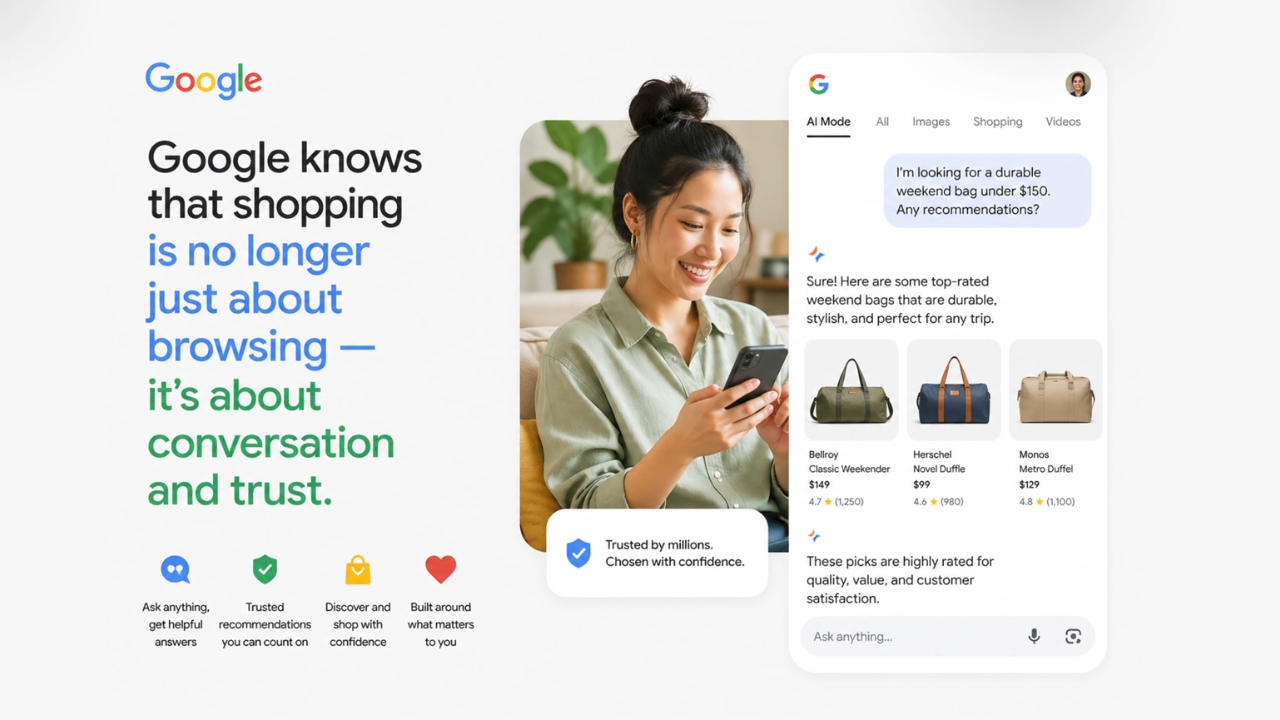
Google allows generative AI imagery in image_link, additional_image_link, and lifestyle_image_link, but generated files must contain metadata identifying their digital source.
Google names the IPTC DigitalSourceType value TrainedAlgorithmicMedia and recognises codes such as CompositeSynthetic and AlgorithmicMedia for relevant creation methods.
The official AI image metadata rules explain the required fields.
Metadata can disappear during resizing, screenshotting, social-media downloads, or export through software that strips IPTC fields. Verify the final file served by the content delivery network rather than relying on the original working file.
AI labelling does not relax normal accuracy rules. Generated scenery must not misrepresent size, colour, texture, included accessories, or product condition. The advertised product still needs to match the item shown on the landing page.
How Image Problems Affect Listings
A missing, irrelevant, blocked, or policy-violating main image can disapprove the product and stop it from appearing in Shopping ads or free listings. A weak additional image may simply fail to show. Upcoming size warnings can leave an offer active during 2026 while signalling future disapproval risk.
Merchant Center surfaces affected products in Needs attention. For the 500 × 500 transition, Google directs merchants to View history and look for “Image too small for upcoming enforcement” or notices that image-resolution optimisation was applied.
A CSV export can help large catalogues locate affected item IDs and image URLs. Google may optimise some sub-500-pixel images so they satisfy the future requirement and avoid disapproval, although a merchant-controlled high-resolution file remains preferable.
A Practical 2026 Image Audit
Start with products already receiving warnings or disapprovals, then review the wider catalogue. A practical audit should cover both technical access and visual accuracy.
Google says image and feed changes can require 24 to 72 hours to appear in Needs attention. Replacing an image through a new URL generally prompts faster detection than overwriting an existing file at the same address. Further timing information appears in Google’s Merchant Center processing guidance. For future photography, create one high-resolution master per variant and derive channel-specific exports from that source. Consistent filenames and versioned URLs reduce feed errors when a catalogue changes. Google Merchant Center image compliance in 2026 is moving from small legacy minimums to a universal 500 × 500-pixel requirement. The deadline is January 31, 2027, but warnings are already appearing, so replacement work belongs in the 2026 catalogue plan. A strong setup uses accurate product photos around 1500 × 1500 pixels, clean framing, stable crawlable URLs, and variant-specific imagery. Additional lifestyle photos add context. AI-created files need preserved IPTC metadata. Good image governance protects listing eligibility and gives Google better material for Shopping ads, free listings, automated crops, and emerging AI-powered product discovery.
Final Takeaway