
Graphic design in 2026 is shaped by agentic AI systems, adaptive branding frameworks, and a renewed focus on emotional and tactile visual expression.
Creative teams are moving toward authentic aesthetics that feel human, layered, and expressive rather than overly polished or automated.
Analog textures, immersive experiences, and responsive brand systems define current expectations across industries.
Gadgets and creative tools have shifted into a central role within design workflows.
Hardware choices directly influence how ideas are:
- Generated
- Refined
- Delivered
Modern designers rely on advanced devices to collaborate with AI, manage complex files, and translate emotional intent into visual form.
Without further ado, let us begin.
Gadget #1: Lekvey Wireless Ergonomic Mouse – The Foundation of Pain-Free Design Workflows
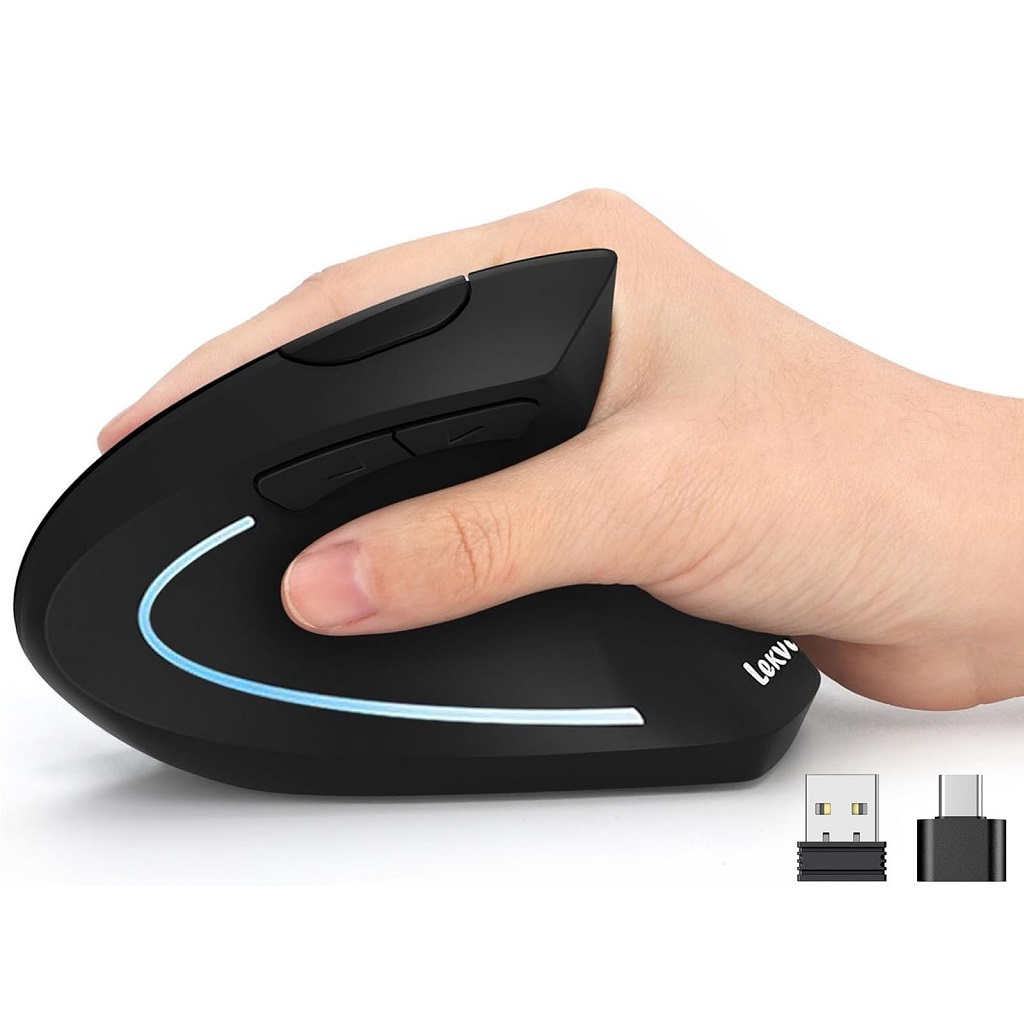
For graphic designers, e-commerce retouchers, and cross-system (Mac/Windows) professionals, the ergonomic mouse is the most frequently used tool – often for 5+ hours a day. This constant clicking, dragging, and precision control takes a brutal toll on wrists, leading to stiffness, pain, and even carpal tunnel syndrome that disrupts creative flow.
The Lekvey Ergonomic Vertical Mouse isn’t just an accessory; it’s a workflow essential that protects physical health while elevating design precision – making it the non-negotiable first gadget for any designer prioritizing longevity and efficiency.
Use Case
Every core design task – from resizing PNGs with pixel-perfect accuracy, adjusting layers in Photoshop, navigating AI design tools like Adobe Firefly, to fine-tuning layouts in Canva – relies on seamless mouse interaction. The Lekvey mouse is engineered for these high-intensity, long-duration scenarios: whether you’re batch-editing product images for an e-commerce campaign (MacBook Pro) or designing brand assets on a Windows workstation, it adapts to your workflow without forcing your wrist into unnatural positions.
Why It Matters
Traditional mice force wrists into a cramped, bent angle that restricts blood flow and strains tendons over time. The Lekvey Ergonomic Vertical Mouse features a scientific 58° vertical design that aligns your wrist in a natural “handshake” position, reducing pressure on carpal tunnel and forearm muscles. For designers logging 5+ hours of daily use, this translates to pain-free sessions, fewer breaks, and consistent creative focus.
But it doesn’t stop at comfort – its dual-mode connectivity (USB-A + Type-C) solves the cross-system headache: plug the USB-A receiver directly into a Windows desktop for lag-free 10m wireless connection, or attach it to the included Type-C adapter for MacBook Air/iPad Pro. No Bluetooth pairing, no compatibility gaps – perfect for designers who switch between devices.
Add 3 adjustable DPI levels (1000/1200/1600) for pinpoint control: 1600 DPI for fast canvas navigation, 1000 DPI for precise retouching on resizepng.com. Quiet clicks won’t disrupt studio environments, and the built-in 600mAh rechargeable battery lasts 150 hours on a 3-hour charge – no more pausing mid-project to replace batteries.
Trend Connection
2026 design trends prioritize “human-centric creativity” – and that starts with the designer’s physical well-being. AI tools accelerate workflow, but they also mean longer hours interacting with screens. The Lekvey mouse bridges the gap between efficiency and health: it supports fluid collaboration with AI design platforms (no wrist pain to slow you down) while aligning with the trend toward “intentional tools” that feel like extensions of the creative process, not just hardware.
Gadget #2: High-Performance Creative Laptop or Workstation
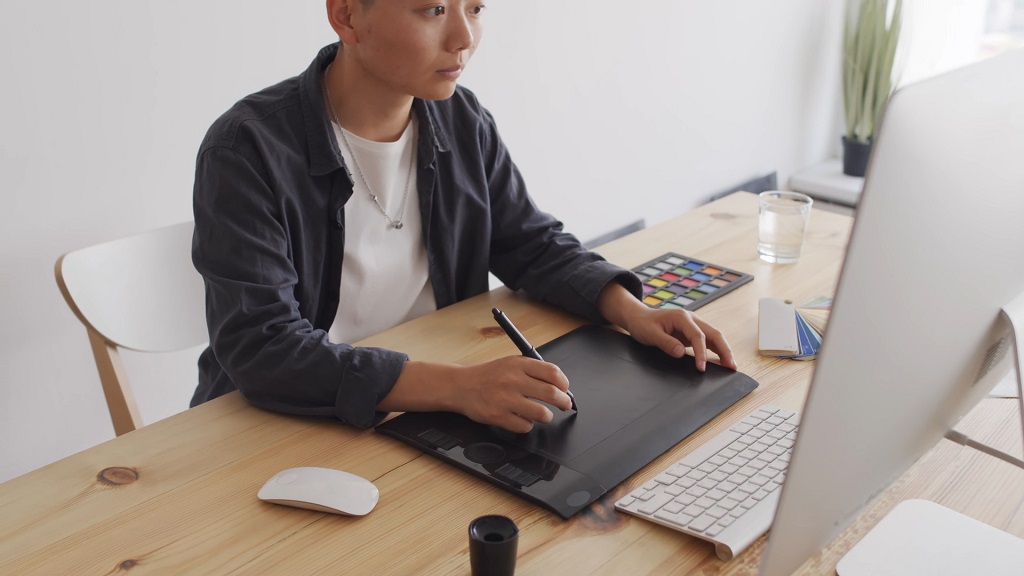
Modern graphic design workflows demand machines that respond instantly to complex creative intent.
High-performance laptops and workstations serve as the central engine behind AI collaboration, motion work, and large-scale visual systems.
Use Case
Real-time rendering, AI-powered design tools, multitasking across layered files, and large-scale prototyping all rely on strong processing power and advanced graphics capabilities.
Why It Matters
AI-enabled platforms such as Adobe Firefly and Canva’s Magic Studio rely heavily on machine learning processes and live previews.
Hardware limitations quickly disrupt creative flow and slow decision-making.
Creative laptops and workstations allow designers to work fluidly across multiple applications without lag.
Several hardware characteristics directly influence performance in daily design work, including:
- Dedicated GPUs capable of handling 3D previews and motion assets
- High-core-count CPUs optimized for parallel tasks and AI operations
- Large RAM capacity supporting layered files and simultaneous software usage
Trend Connection
Agentic AI tools now act as creative partners that generate design variations, automate layout suggestions, and assist visual decision-making.
High-performance machines help designers remain responsive while navigating AI-assisted workflows, 3D environments, and motion-based assets with confidence.
Gadget #3: Professional Drawing Tablet With Advanced Stylus
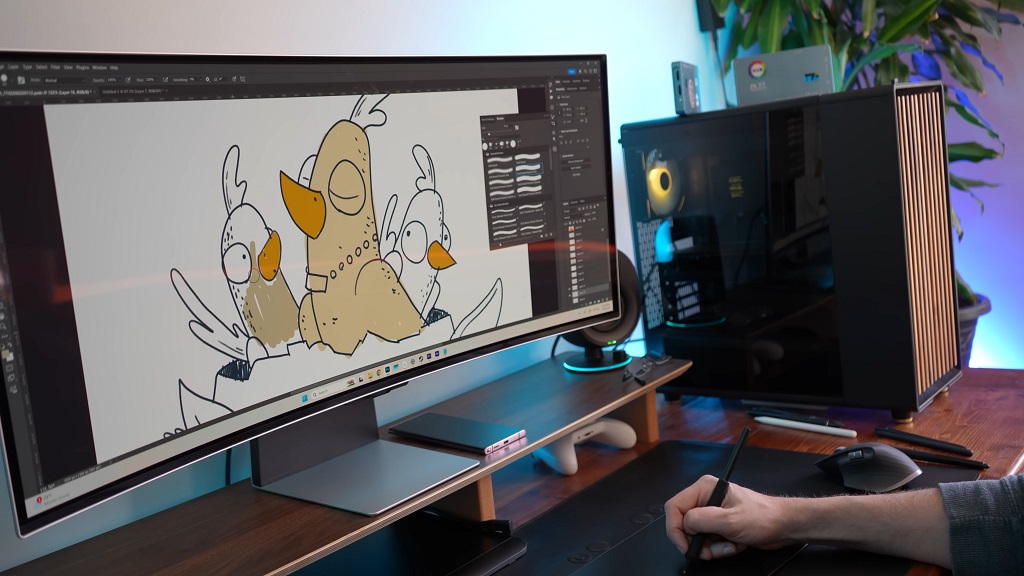
Digital design increasingly values human touch and expressive imperfection.
Drawing tablets reconnect designers with physical gestures while preserving digital flexibility.
Use Case
Hand-drawn illustrations, organic textures, expressive typography, and digital sketching benefit greatly from stylus precision and tactile feedback.
Why It Matters
Drawing tablets recreate the feeling of a pen on paper while offering digital control.
Pressure sensitivity and tilt recognition allow subtle variations that feel intentional and emotionally charged rather than mechanically perfect.
Creative outcomes supported by advanced stylus technology include:
- Variable line weight for expressive lettering and illustration
- Organic texture creation without relying on presets
- Freeform sketching that supports ideation and experimentation
Trend Connection
Raw and expressive aesthetics continue gaining traction as a counterpoint to AI-generated sameness.
Handcrafted visuals, collage approaches, and analog-inspired marks help brands project warmth, emotion, and authenticity.
Gadget #4: AI-Assisted Smart Input Devices
Design productivity increasingly depends on how efficiently ideas move through software interfaces.
Smart input devices redefine interaction by reducing friction between creative intent and execution while protecting long-term physical health.
Use Case
Macro pads, touch bars, programmable keyboards, ergonomic mouse, and AI-integrated shortcuts support fast navigation, repeated actions, and complex toolchains used across design software.
Why It Matters
Extended creative sessions place continuous stress on hands, wrists, and shoulders. Ergonomic devices reduce fatigue without sacrificing accuracy.
Custom input configurations allow designers to activate AI-assisted features instantly, keeping focus locked on creative decisions instead of menus or panels.
Several workflow enhancements become possible through advanced input setups, including:
- One-touch activation of AI layout generation, resizing, and content-aware adjustments
- Personalized shortcuts mapped to frequently used tools, filters, and export actions
- Reduced strain during long production cycles through ergonomically optimized movement
Trend Connection
AI accelerates layout creation and iteration, yet precision control remains critical.
Ergonomic mice and programmable input devices preserve physical well-being while supporting fluid interaction with increasingly complex creative software environments.
Gadget #5: AR and VR Headset for Immersive Design and Prototyping
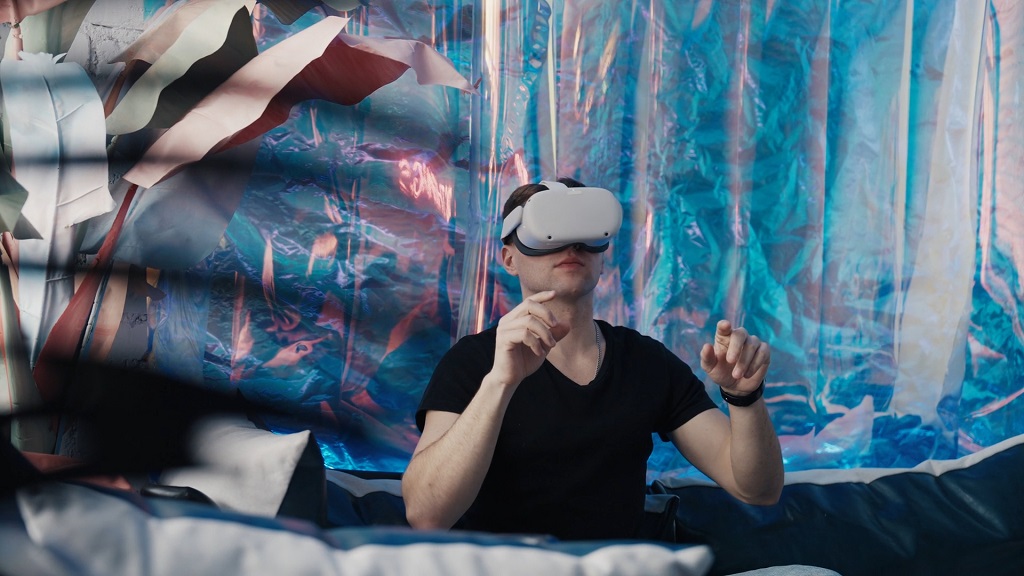
Design no longer lives only on flat screens. Immersive technologies introduce new methods for visualizing scale, interaction, and spatial relationships within creative projects.
Use Case
Immersive visual environments, 3D packaging previews, spatial branding systems, and experiential design concepts benefit significantly through AR and VR visualization.
Why It Matters
Flat displays limit perception of depth, proportion, and movement.
AR and VR headsets allow designers to step inside their work, observe it at a human scale, and identify issues early in development.
Key design activities improved through immersive tools include:
- Spatial layout testing for branded environments and installations
- Interactive packaging and product visualization before physical production
- Experiential storytelling concepts spanning digital and physical touchpoints
Trend Connection
Brand identities increasingly function as living systems that adapt to context and interaction.
Immersive tools support the creation of responsive visual systems that engage users through space, motion, and participation.
Gadget #6: Color-Calibrated Graphic Monitor
Color precision shapes emotional response and brand credibility.
Graphic monitors built for calibration ensure visual intent remains intact across every output format.
Use Case
Accurate color matching, print and digital alignment, and emotional palette consistency remain essential across:
- Branding
- Marketing
- Product design projects
Why It Matters
Expressive color palettes dominate design trends in 2026. Without proper calibration, colors shift unpredictably during production and distribution.
Professional monitors maintain tonal consistency across workflows and devices.
Several advantages emerge through calibrated displays, such as:
- Reliable color reproduction across print, web, and motion formats
- Consistent visuals during collaborative reviews and handoffs
- Fewer revisions caused by unexpected color discrepancies
Trend Connection
Color communicates emotion, personality, and trust. Calibrated monitors support expressive branding while preserving visual accuracy across platforms and materials.
Gadget #7: Portable Digital Scanner or Photography Tool
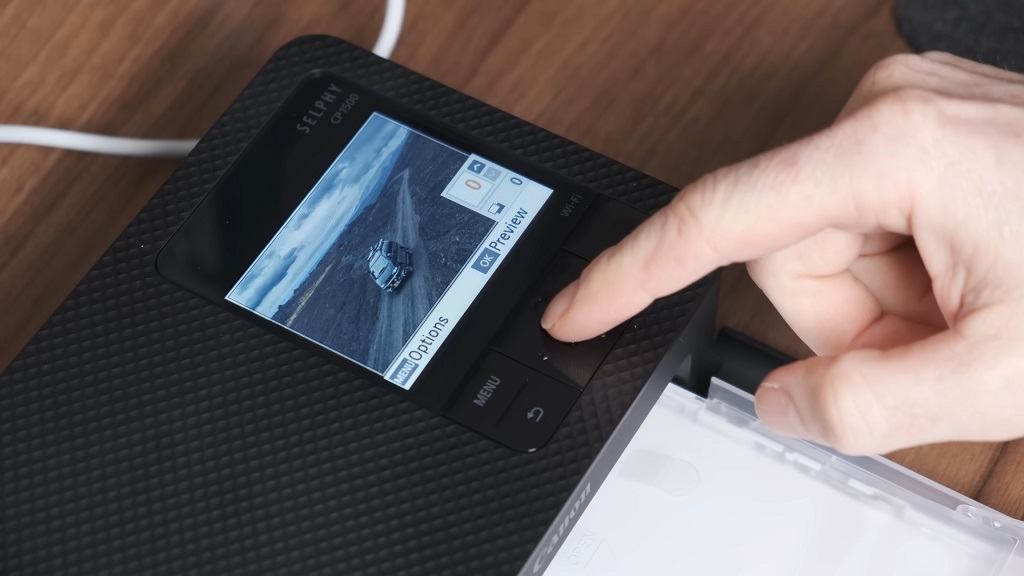
Physical materials have reentered digital workflows as designers seek texture and human presence.
Portable capture tools bridge tangible creation with modern software.
Use Case
Capturing physical textures, analog sketches, handwritten elements, and handmade materials adds depth and character to visual compositions.
Why It Matters
Human-made visuals counteract the smooth perfection of synthetic graphics.
Portable scanners and photography tools allow designers to digitize materials quickly while retaining nuance and imperfection.
Commonly captured elements include:
- Paper grain, fabric fibers, ink bleed, and surface wear
- Sketchbook pages, handwritten notes, and doodles
- Found objects, environmental textures, and physical ephemera
Trend Connection
Analog and digital workflows increasingly intersect. Collage-based compositions and layered textures support emotionally resonant visuals that feel deliberate and personal.
Gadget #8: Motion Capture or Camera for Stop-Motion and Video Graphics
Motion has become a central component of visual communication. Cameras and motion tools support designers working across static design, animation, and video storytelling.
Use Case
Motion graphics, kinetic typography, short-form video assets, and animated storytelling rely on dependable capture equipment.
Why It Matters
Design expectations now extend into movement across brand systems, social media, and digital products.
Dedicated cameras and motion tools allow designers to produce expressive motion internally without constant external production support.
Creative output supported through motion tools includes:
- Stop-motion sequences using physical materials and handmade elements
- Animated typography communicating tone, rhythm, and emotion
- Video assets optimized for digital-first platforms and campaigns
Trend Connection
Motion functions as a core visual language in modern branding.
Tools that support animation and video production help designers meet growing demand for emotionally engaging, movement-focused content across media formats.
The Bottom Line
Graphic designers in 2026 operate within a hybrid creative environment shaped by AI intelligence, immersive media, and handcrafted aesthetics. Hardware choices influence how effectively designers translate ideas into meaningful visual systems – and it all starts with the tool you use most: your mouse. The Lekvey Ergonomic Vertical Mouse isn’t just another gadget; it’s the foundation of a sustainable, high-performance workflow that protects your wrists while elevating precision – perfect for cross-system professionals, e-commerce retouchers,and anyone logging 5+ hours of daily design work.
Gadgets serve as extensions of creative intent rather than simple accessories. Designers who invest in the right tools – starting with the Lekvey Ergonomic Mouse – gain the flexibility to adapt, experiment, and shape future visual culture with confidence, clarity, and pain-free focus.