
Visitors judge a website before they read much of it. A clean layout, steady loading, clear navigation, readable text, and visible business details all send one message: someone responsible is behind the page. When design feels sloppy, outdated, or confusing, people often question the company before they question the product.
Research backs up that instinct. Stanford’s web credibility research found that people quickly judge sites by visual design, including layout, typography, images, and consistency.
A related large study found that “design look” appeared in 46.1% of user comments about website credibility, more than any other category in that study.

| Design Signal | What Visitors Often Infer | Practical Example |
| Clean spacing | Care and control | Service pages with breathing room around text |
| Consistent fonts | Professional standards | One heading style across every page |
| Clear buttons | Easy next step | “Book a Consultation” placed near key service details |
| Secure checkout cues | Lower transaction risk | Familiar payment icons near the payment form |
| Fast, stable loading | Technical competence | Images do not jump around while loading |
| Current content | Active business presence | Fresh service pages, recent team details, updated policies |
Professional design works because it makes the user’s next decision easier. People can focus on what the business offers rather than wondering whether the site is safe, current, or legitimate.
Reliability Starts With Visual Order
Reliable websites feel organized. That feeling usually comes from hierarchy, spacing, alignment, and restraint.
A strong homepage does not need to be flashy. In many industries, flashy design can work against trust. A medical clinic, accountant, architecture studio, or B2B software company benefits more from clarity than spectacle.
Good visual order usually includes:
- One clear main message above the fold
- A short explanation of who the business serves
- Navigation labels that match normal user expectations
- A visible path to pricing, services, booking, contact, or support
- Design patterns repeated across the site
Nielsen Norman Group identifies design quality as one of several long-running credibility factors in web design, along with disclosure, current content, and connection to outside references.
A site with uneven spacing, random colors, mismatched buttons, and low-quality images can make even a strong business look careless. Visitors rarely separate the design from the organization behind it.
Typography Quietly Shapes Trust

Typography has a bigger role than many business owners expect. Fonts carry tone. Tiny text, crowded lines, low contrast, and inconsistent heading sizes make a page feel harder to read and less dependable.
Professional typography usually avoids extremes. Body text should be large enough for comfortable reading. Headings should create a clear path through the page. Line length should stay manageable, especially on desktop screens.
For example, a financial planning site with small gray text on a white background may look “minimal” to its owner but feel evasive or hard to read to a potential client.
A legal site that uses all caps across large blocks of text may feel aggressive before the visitor reaches the contact form.
Readable typography tells the visitor that their time matters.
Professional Imagery Must Feel Real
Images can lift credibility or damage it fast. Generic stock photos of smiling teams around laptops often feel hollow, especially when every competitor uses similar images.
A reliable site usually uses images with a clear purpose:
- Real team photos for service businesses
- Product photos from multiple angles for online stores
- Office or workshop photos for local companies
- Screenshots or product interface previews for software brands
- Original diagrams when explaining technical services
Photo quality matters, but relevance matters more. A small accounting firm does not need luxury-brand photography. It needs images that feel accurate, well-lit, and aligned with the service.
Visual honesty is part of professional design. Overly staged imagery can make a brand feel less credible, especially when copy promises personal service.
Navigation Shows Whether a Business Respects The User
Navigation is one of the fastest ways a website proves reliability. When people can find answers without guessing, trust rises.
Poor navigation creates friction. A visitor who cannot find pricing, service details, contact information, delivery terms, or refund rules may assume the company is hiding something.
The Federal Trade Commission advises online shoppers to check sellers, products, return policies, delivery details, and personal data practices before buying, which makes clear access to such information a credibility issue for ecommerce sites.
Online gaming platforms face a similar trust challenge because users want to know whether account security, payment handling, and platform rules are clearly explained before they sign up. A resource like gamezone safe and legit shows how safety, licensing, and fair-play details can be presented as part of a broader credibility message.
A reliable navigation system uses plain labels. “Services,” “Pricing,” “About,” “Contact,” “Case Studies,” and “Support” usually beat clever wording. Creativity belongs in brand voice, visuals, and storytelling, not in basic wayfinding.
Speed And Stability Affect Perceived Competence

A site can look beautiful in a design mockup and still feel unreliable in real use. Slow loading, delayed buttons, and shifting page elements create doubt.
Google’s Core Web Vitals measure real-world user experience across loading performance, interactivity, and visual stability. Google also notes that strong page experience can contribute to search success when relevant content is available across competing pages.
Web.dev defines good Core Web Vitals targets as Largest Contentful Paint within 2.5 seconds, Interaction to Next Paint of 200 milliseconds or less, and Cumulative Layout Shift of 0.1 or lower.
Speed sends a simple message: the site works. Stability adds another one: the site was built with care.
Security Cues Need To Be Visible And Honest

Professional design does not replace real security. Still, visual cues help people notice safety measures.
For ecommerce sites, payment areas deserve careful design. Baymard Institute’s checkout research has found that users pay attention to perceived security during payment flows, including the placement and type of trust cues near payment forms.
Good checkout design usually includes:
- HTTPS across the site
- Clear payment icons
- A visible privacy policy
- Return and refund details before purchase
- Error messages written in plain language
- No surprise costs late in checkout
Trust badges alone cannot carry a weak experience. A polished checkout page with hidden fees still damages credibility. Reliable design supports honest business practice rather than covering for weak policy.
Accessibility Makes A Site Feel More Serious
Accessible design also strengthens reliability. A site that works well for more people feels better built and more professional.
The World Wide Web Consortium’s WCAG 2.2 offers recommendations for making web content more accessible, covering text alternatives, keyboard access, contrast, predictable behavior, and other barriers that affect users with disabilities.
Accessibility improvements often help everyone. Higher contrast helps people reading on phones outdoors. Clear focus states help keyboard users and power users. Descriptive labels help screen reader users and also make forms less confusing for all visitors.
A site that ignores basic accessibility may look unfinished, even when the visual style appears modern.
Content Design Carries Credibility Too
Professional design includes how information is arranged, not only how pages look.
Reliable websites answer practical questions early:
- What does the company do?
- Who is the service for?
- Where does the company operate?
- What happens after a visitor submits a form?
- How can someone speak to a real person?
- What proof supports the claims?
A homepage that says “We help brands grow through innovative solutions” tells people almost nothing. A stronger version says, “We design and manage paid search campaigns for regional home service companies that need more booked calls.”
Specific wording feels more reliable because visitors can test it against their own needs.
Proof Must Be Designed Into The Page
Trust signals work best when placed near the decision point. Testimonials, certifications, client logos, reviews, case studies, media mentions, guarantees, and policy links all need context.
A visitor reading a service page should see proof near the claim. A buyer reviewing a product should see delivery, returns, and payment information near the purchase button. A patient reading about a clinic should see credentials, location, and contact details without hunting.
Professional design places evidence where doubt appears.
Reliable Design Feels Current Without Chasing Trends
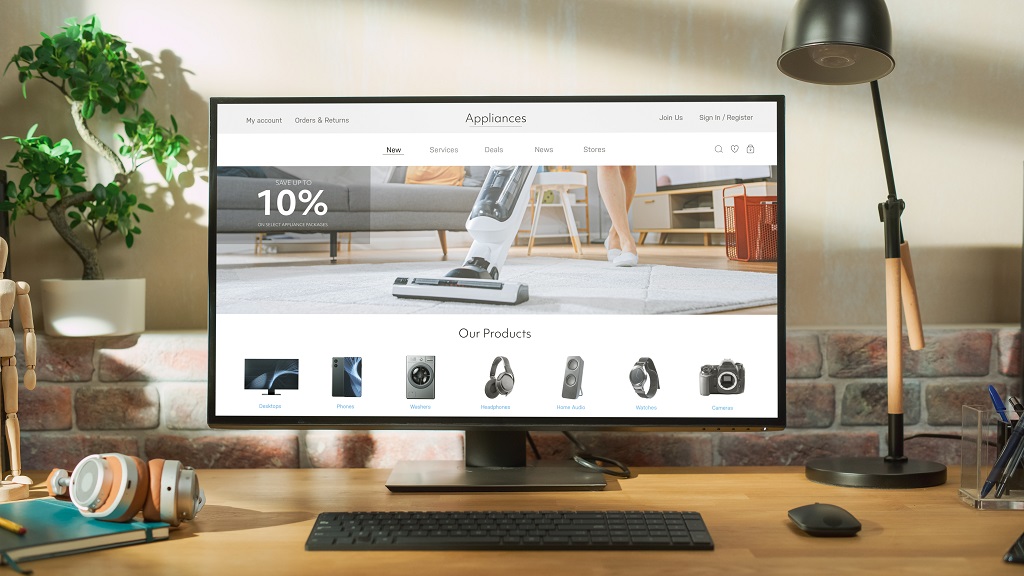
A credible website does not need every design trend. Heavy animation, oversized gradients, and experimental scrolling can age quickly. Reliability comes from design choices that still make sense after the trend fades.
Current design usually means:
- Mobile layouts are clean and fast
- Forms work without frustration
- Contact details match listings elsewhere
- Service pages reflect current offers
- Blog or news sections do not look abandoned
- Legal, privacy, and refund pages are accessible
An outdated site can make visitors wonder whether the company is still active. A trend-chasing site can make visitors wonder whether style has replaced substance.
Summary
Professional design makes a website look more reliable because it reduces uncertainty. Visitors notice visual order, clear navigation, readable content, speed, accessibility, and honest trust cues long before they make contact or buy.
A reliable site does not need to look expensive. It needs to look intentional, current, usable, and aligned with the promise behind the brand.